
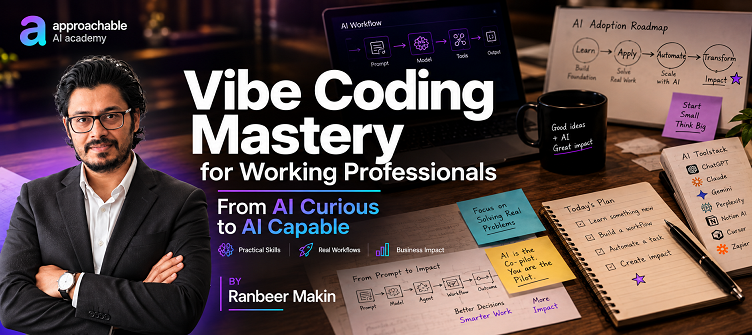
Vibe Coding Mastery for Working Professionals
By Ranbeer Makin
About this Course
AI is changing not just how we work, but how we build.
With tools like Claude Artifacts, Copilot in Excel, and Lovable, professionals can now create useful tools, analyze data, build prototypes, and turn ideas into working applications—often without traditional software development skills.
This course is designed to give you a practical introduction to Vibe Coding. You'll learn what Vibe Coding is, why it matters, how to communicate effectively with AI, and how to use modern AI-powered tools to turn your ideas into working outputs.
Instead of focusing on theory, the course is built around hands-on demonstrations and real-world examples.
You'll learn the fundamental building blocks of effective Vibe Coding prompts, explore Claude Artifacts and Copilot in Excel, and complete a full walkthrough of Lovable to see how an idea can be transformed into a working application or prototype.
Whether you're a business professional, entrepreneur, manager, consultant, product manager, analyst, or someone simply curious about building with AI, this course will give you a practical starting point for the world of Vibe Coding.
For any queries regarding this course or the Approachable platform, email me at ranbeer@gmail.com
About the Instructor
Ranbeer Makin is passionate about helping working professionals confidently adopt AI. He has already trained 250+ learners through hands-on workshops and practical courses. As a software entrepreneur with 18+ years of experience, he now focuses on helping professionals move from AI Curious to AI Capable by teaching practical workflows, automation, and real-world AI applications.
What You'll Learn
By the end of this course, you'll be able to:
- Understand what Vibe Coding is and why it is changing how people build with technology
- Understand when and why you should use Vibe Coding
- Learn the key building blocks of a good Vibe Coding prompt
- Understand how to structure your instructions so AI can better understand what you want to build
- Explore different Vibe Coding tools and understand what they can be used for
- Use Claude Artifacts to create useful interactive outputs
- Use Copilot in Excel to work more effectively with spreadsheets and data
- Use Lovable to build applications and prototypes using natural language
- Follow the process of taking an idea and turning it into a working prototype
- Understand how to collaborate with AI during the building process
- Gain the confidence to start experimenting with Vibe Coding on your own
Who Is This Course For?
This course is ideal for:
- Working professionals curious about Vibe Coding
- Entrepreneurs and startup founders
- Managers and team leads
- Product Managers and Business Analysts
- Consultants and freelancers
- Marketing, Sales, HR, Finance, and Operations professionals
- Professionals who want to build prototypes without relying entirely on developers
- Software developers who want to explore AI-assisted building
- Anyone who wants to understand how AI is changing the way applications are created
No prior Vibe Coding experience is required.
What's Included
- 🎥 Recorded video sessions
- 📚 Structured, practical learning
- 🛠 Hands-on demonstrations
- 💻 Real-world Vibe Coding examples
- 🧩 Vibe Coding prompt building blocks
- 📂 Downloadable prompts and resources
- 🚀 Practical walkthrough of building an application/prototype with Lovable
- 🎓 Certificate of Completion
Tools We'll Explore
- Claude Artifacts
- Microsoft Copilot in Excel
- Lovable
You'll also learn how these tools fit into the broader Vibe Coding ecosystem and what to look for when choosing a Vibe Coding tool.
Course Outcome
By the end of this course, you'll understand how to think about Vibe Coding, how to communicate your ideas to AI, and how to use modern AI tools to turn those ideas into useful outputs and working prototypes.
You won't just understand the concept—you'll see Vibe Coding in action and have the foundation to start experimenting yourself.
The goal isn't to become a programmer.
It's to learn how to build with AI.
Course Content
- 1What is Vibe Coding
- 2Why Vibe Code
- 3Vibe Coding Prompt Building Blocks
- 4Vibe Coding Tools
- 1Demo: Claude Artifacts
- 2Demo: Copilot in Excel
- 1Tool: Lovable (Build Applications and Prototypes) — Full Walkthrough