
How to Optimize Token Usage in Claude Chat
Hitting your Claude limit earlier than expected usually isn't bad luck — it's a handful of habits quietly burning tokens. Seven changes that stretch your usage further, starting with your next chat.

Ever hit your Claude limit way earlier than you expected? It's usually not bad luck. It's a handful of small habits quietly costing you tokens on every message.
The good news: none of them are hard to fix. Here are seven changes that get you more mileage out of the same limit — most of them take one click or one extra sentence.
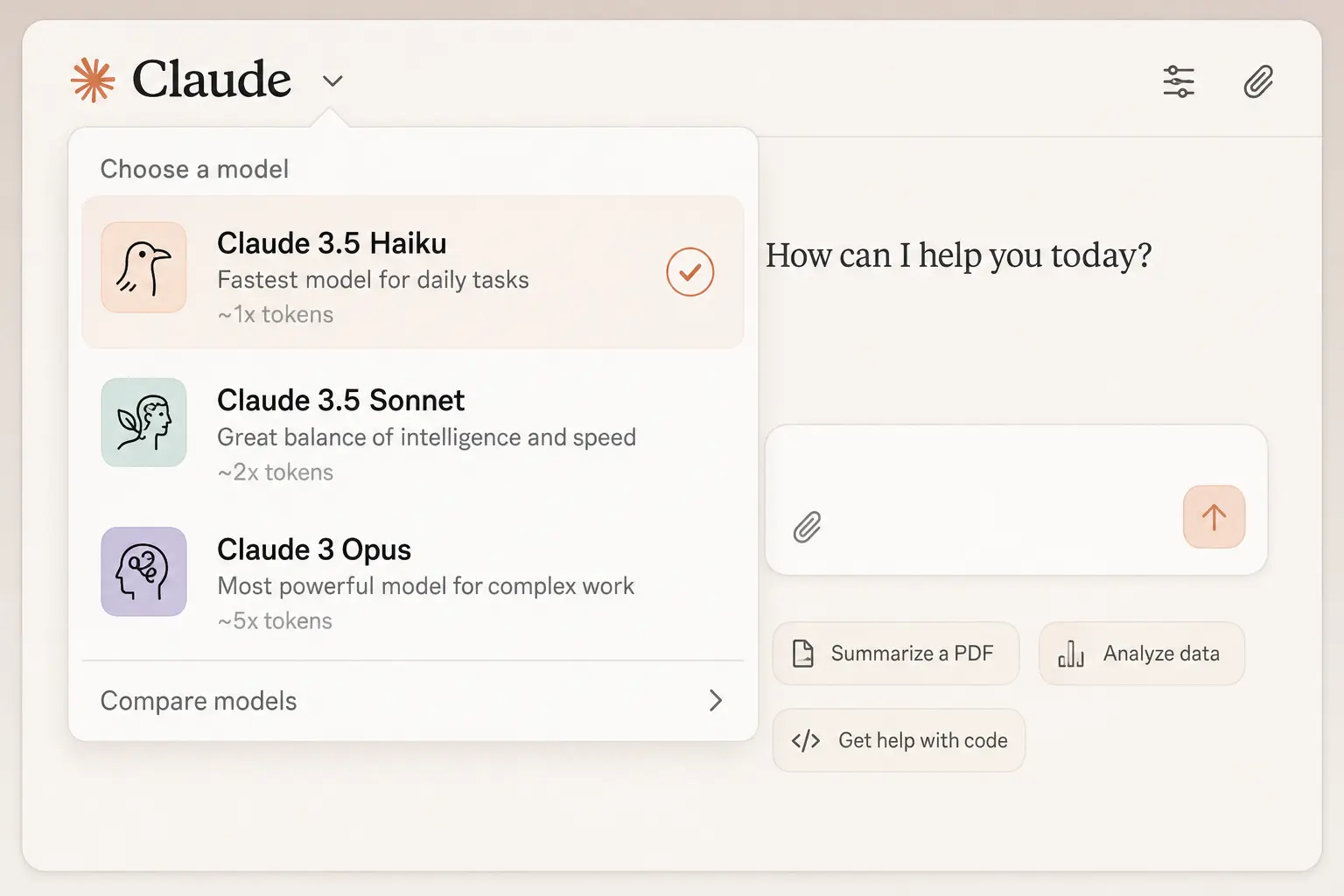
1. Pick the right model
Don't reach for the biggest model out of habit.
If the task is simple — a quick rewrite, a summary, a straightforward question — a smaller, faster model handles it fine for a fraction of the tokens. Save the heavyweight model for the work that actually needs deep reasoning: hard analysis, tricky code, long documents.
Matching the model to the job is the single easiest win on this list.
2. Turn off what you're not using
Connectors and web search aren't free just because you're not using them right now. If they're switched on, they're still adding to what Claude has to carry.
So turn them off when they're not needed. Disable connectors that aren't relevant to the task in front of you, and flip web search on only when the question actually depends on something current. Two toggles, real savings.
3. Edit, don't just reply
When Claude's answer is close but not quite right, don't reply with a correction. Edit your original message and resend it.
Here's why it matters. Editing replaces that turn cleanly. Replying stacks another message on top of the last one — and Claude re-reads the whole thread every time either way. A tighter thread is a cheaper thread.

4. Start a new chat per topic
Claude re-reads your entire conversation on every single message. So message forty in a long thread costs far more than message one did — you're paying for all thirty-nine that came before it, every time.
The fix is simple: when you switch topics, open a new chat instead of scrolling the same one forever. Short, focused threads beat one sprawling mega-conversation.
5. Carry context forward with a summary
Sometimes a chat gets long but you still need what's in it. Don't drag the whole thing along.
Ask Claude to summarize the discussion, then paste that summary into a fresh chat. You keep the parts that matter — the decisions, the context, the constraints — without hauling the entire token-heavy history behind you.
6. Let Projects cache your files
If you keep referencing the same documents, stop re-uploading them into every new chat.
Put them in a Project instead. Project files are cached, so reusing them costs far less than pasting the same material in fresh each time. Upload once, reference everywhere — that's the whole point.
7. Upgrade when you're actually constrained
If you're consistently hitting your limit doing real work — not fiddling, actual work — a paid plan buys you meaningfully more room.
This is the last resort, not the first. Try the six habits above first. But if you're genuinely maxing out day after day, more headroom is worth it.
Put them together
Pick the right model. Turn off what you're not using. Edit instead of replying. Start a fresh chat per topic. Summarize instead of dragging old threads along. Let Projects cache your files. And upgrade if you're truly maxed out.
Any one of these helps. Stacked, they're the difference between burning through your limit by lunchtime and barely noticing it's there.
Same limit. Way more mileage.
Need a quick definition?
Browse the AI Glossary for plain-English explanations of common terms in this post.
Open AI Glossary →